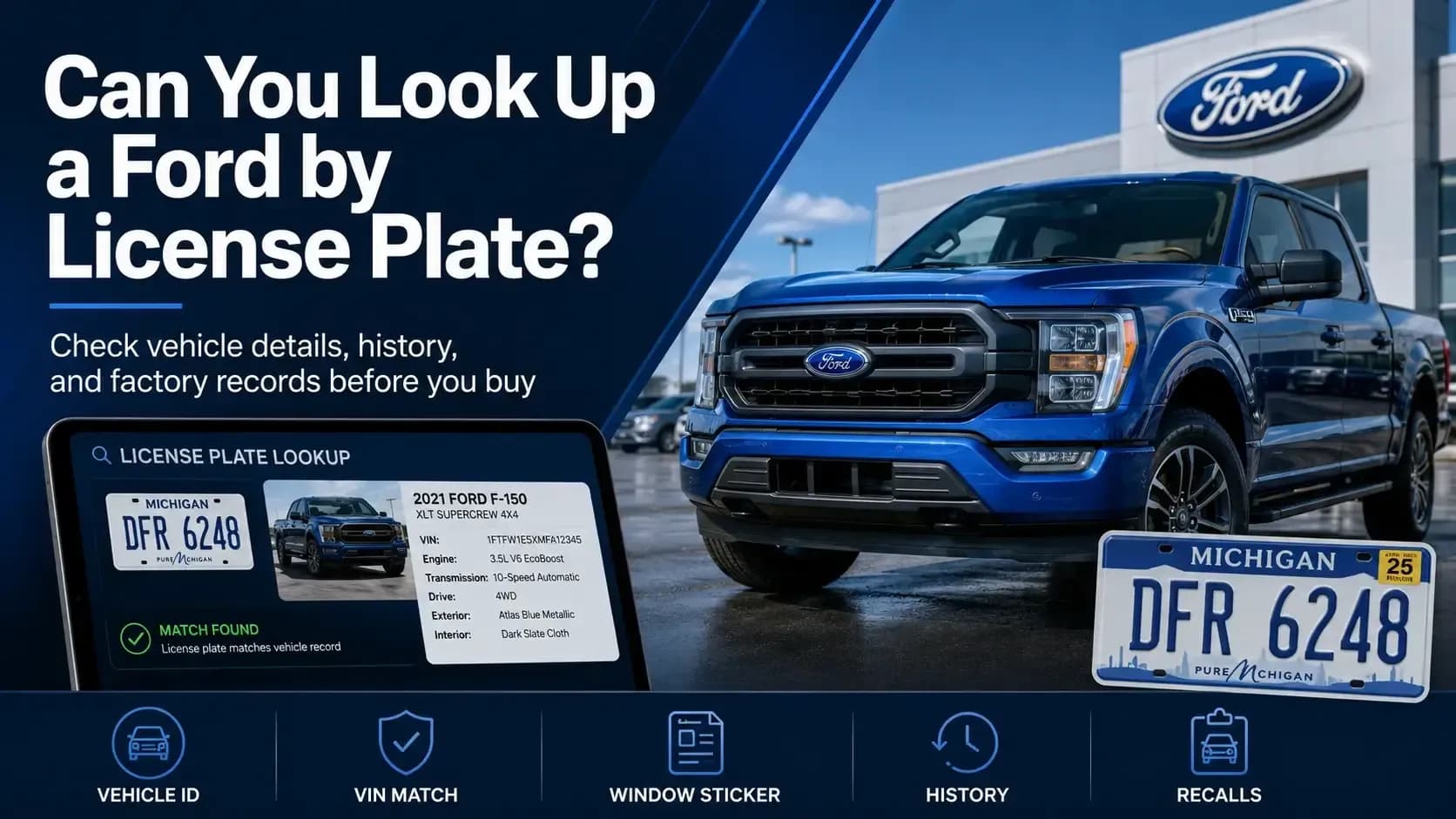
Yes, you can look up a Ford by license plate number online when you also know the state where the plate is registered. A plate search may identify the matching vehicle, show available specifications, and let you continue to a paid window sticker or vehicle history report.
It won’t normally reveal the private owner’s name, address, or phone number. A license plate lookup is meant to help research the vehicle, not turn a plate into someone’s personal directory.
Start with a Ford license plate lookup when the seller hasn’t shared the VIN or the listing shows only the plate. The service supports U.S. license plate searches for vehicle history, while the homepage also includes a plate option for window sticker requests.
Key Takeaways
- A Ford plate search may identify the vehicle and connect it with available VIN-based records.
- Always compare the returned VIN and specifications with the Ford in front of you.
- Public lookup services usually provide vehicle data, not the registered owner’s private identity.
What Can a Ford License Plate Search Reveal?
A Ford license plate search is useful when you’re scanning marketplace listings, checking auction inventory, or researching a vehicle before meeting the seller.
The plate is usually matched with the vehicle’s VIN. From there, the lookup may return several types of information.
Vehicle Identity
The result may confirm the year, make, model, body style, engine, drivetrain, and available trim details connected to the Ford.
VIN and Basic Specifications
A plate lookup may identify the matching VIN, which can then be decoded for available factory specifications and vehicle characteristics.
Vehicle History Records
A paid report may show title brands, accidents, mileage events, ownership count, liens, theft records, auctions, and service entries when reported.
Open Recall Information
Some services can identify open recalls after matching the plate to the vehicle. NHTSA also supports recall searches using a U.S. license plate or VIN.
Here’s the thing: a plate search reads records. It does not inspect the Ford. A clean result cannot hear an engine rattle, spot poor paintwork, or feel a transmission slip once the vehicle warms up.
For a broader look at the available records, read what a Ford VIN check can reveal before buying.
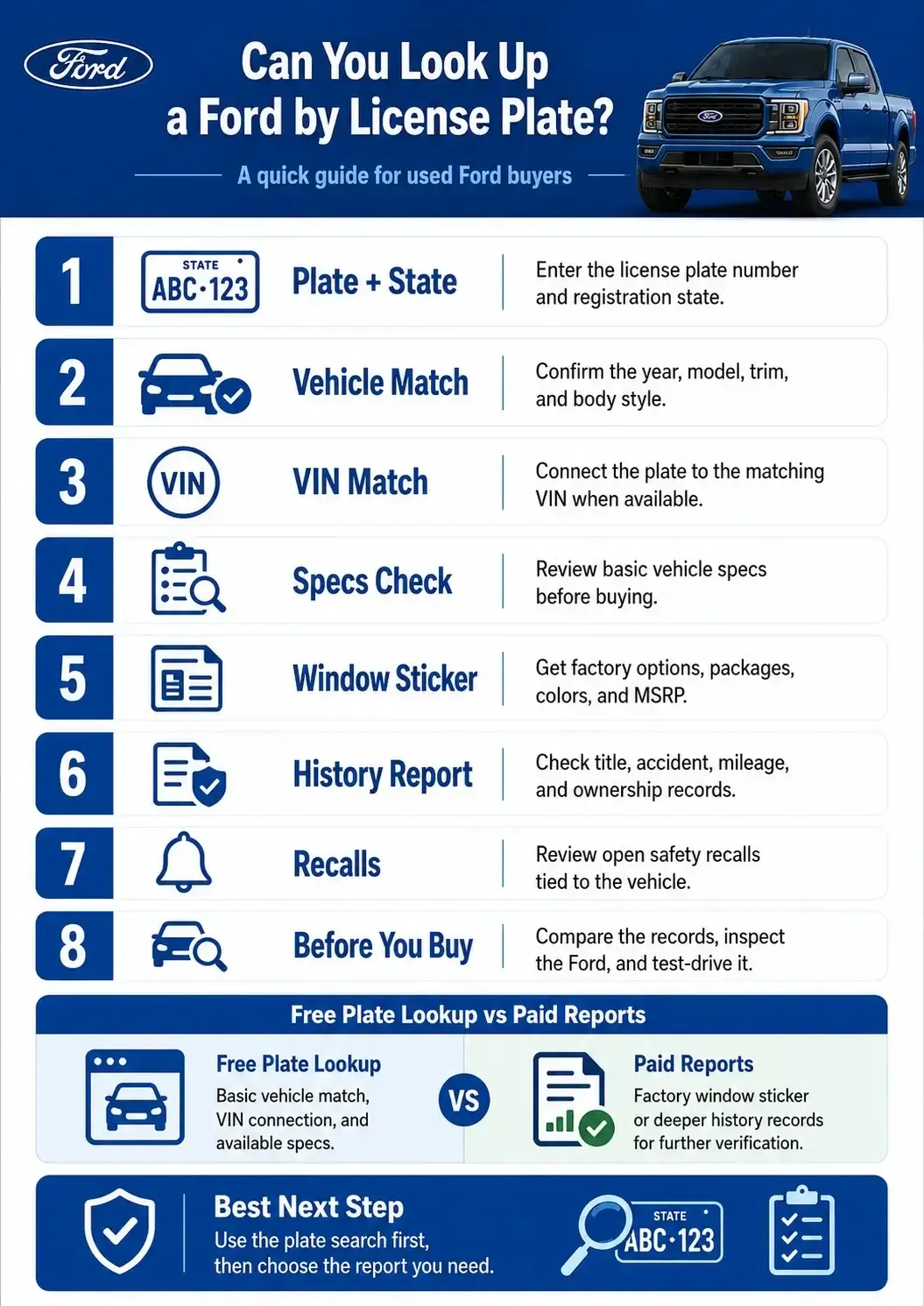
A plate lookup is convenient because the number is easy to find in an advertisement or on the vehicle. The registration state matters, though, because similar plate numbers may exist across several states.
The process can be completed in four simple steps.
Enter the Plate Number
Type the license plate exactly as displayed, leaving out frames, slogans, and decorative symbols that are not part of the number.
Select the Registration State
Choose the state shown on the plate so the search can distinguish it from matching number combinations registered elsewhere.
Review the Free Vehicle Specs
Compare the available year, model, trim, engine, body style, drivetrain, and VIN details with the seller’s listing and vehicle.
Choose the Record You Need
Get the paid window sticker for factory details or the paid history report for title, mileage, accident, ownership, and sales records.
You’re not paying for extra information without a reason. First, check whether the vehicle matches. Then choose the document that answers your remaining question.
A License Plate Is Convenient, but the VIN Is Stronger
A license plate identifies a vehicle registration. A VIN identifies the vehicle itself.
That difference matters because plates may be transferred, replaced, surrendered, or changed when a vehicle moves between states. The VIN normally remains with the Ford throughout its life.
Use the plate to begin your search when the VIN is unavailable. Once a VIN appears, compare it with the number shown through the lower driver-side windshield and on the driver-side door label.
The VIN should also match the title, registration, insurance documents, and seller’s paperwork. One mistyped plate character can return the wrong vehicle, while a VIN mismatch may point to a larger documentation issue.
This is especially important for car flippers. A quick auction purchase feels exciting until the “XLT” turns out to be an XL with badges, aftermarket wheels, and a thin profit margin.
Choose the Window Sticker or History Report Based on Your Goal
The plate search is only the first step. The record you choose next depends on what you need to verify.
| What You Need to Check | Best Record |
|---|---|
| Year, model, engine, and body style | Free decoded specifications |
| Factory trim, options, and packages | Paid Ford window sticker |
| Original MSRP and destination charge | Paid Ford window sticker |
| Title, accident, and mileage records | Paid vehicle history report |
| Ownership, lien, theft, or auction records | Paid vehicle history report |
| Current physical condition | Independent inspection and test drive |
← Scroll horizontally to see more →
A Ford vehicle history report by license plate focuses on events that may have occurred after the vehicle entered service. It can include title brands, odometer entries, accident records, ownership count, liens, theft, auction listings, and service information when available.
The window sticker answers a different question: how did Ford originally build and price the vehicle? A plate-based sticker request may provide factory options, packages, colors, MSRP, standard equipment, and destination charges when records are available.
Some buyers need both. A clean title does not prove that a claimed factory tow package exists. Likewise, an impressive window sticker does not erase accident damage or mileage inconsistencies.
The guide to vehicle history report vs window sticker explains how the two records work together.
A Plate Lookup Identifies the Ford, Not Its Private Owner
Searches for a Ford owner lookup by license plate often begin with a basic question: “Who owns this vehicle?”
For ordinary public users, a lookup should not reveal the registered owner’s name, home address, phone number, driver identification number, or other protected personal details.
The federal Driver’s Privacy Protection Act limits how state motor vehicle departments may disclose personal information from vehicle records. It protects details including names, addresses, telephone numbers, photographs, and driver identification information, except for specific permitted uses.
Certain access may be allowed for law enforcement, courts, insurers, licensed investigators, recalls, vehicle safety, theft, and defined business or legal purposes. That does not create an unrestricted public owner-search system.
This boundary makes sense. Buyers can research the Ford’s identity and reported history without exposing someone’s home address simply because their plate appeared in a parking lot photo.
Common Problems That Can Affect a Plate Search
Plate lookups are handy, but small input errors can return the wrong vehicle or no match at all.
- Wrong state: The same plate sequence may be registered in more than one state.
- Similar characters: Numbers and letters such as 0 and O or 8 and B are easy to confuse.
- Old listing photo: The displayed plate may no longer be assigned to that Ford.
- Recently changed registration: New or transferred plate records may take time to update.
- Temporary plate: Paper tags and dealer plates may not return a standard result.
- Limited data: A search can only show information available from connected sources.
When a result appears, verify it against the physical vehicle. When nothing appears, ask the seller for the VIN rather than trying different plate combinations and hoping one sticks.
Use the Plate to Start, Then Verify the Ford
A license plate is often the easiest vehicle detail to capture from a listing, dealership lot, or auction photo. It can help identify the Ford, confirm available specs, and point you toward the right paid record.
But it should not be your final proof.
Compare the returned VIN with the vehicle. Check the decoded specifications against the listing. Choose the paid window sticker when you need factory equipment, or choose the history report when you need title, mileage, accident, ownership, and auction records.
Then inspect and test-drive the Ford. Records tell you what was reported. The vehicle tells you how it feels today.
When the VIN is unavailable, get a Ford window sticker from the license plate number and confirm the matched vehicle before making an offer.
Frequently Asked Questions
Can you look up a Ford vehicle by license plate number online?
Yes. Enter the plate number and registration state into a supported lookup. The result may identify the Ford and provide specifications or access to deeper records.
Do I need the state for a Ford license plate lookup?
Yes. License plates are issued by individual states, and the same letter-number sequence may exist in more than one state.
Can a Ford license plate search show the VIN?
It may identify or connect the plate with the matching VIN when records are available. Always compare the returned VIN with the number displayed on the Ford.
How do I get a Ford window sticker from a license plate number?
Select the U.S. license plate option, enter the plate and state, confirm the matched vehicle, and continue to the paid window sticker when available.
Is it legal to look up a Ford owner by license plate?
Looking up non-personal vehicle data is different from accessing protected owner information. Federal and state privacy laws restrict disclosure and use of personal motor vehicle records, with limited exceptions.
Is a license plate lookup as reliable as a VIN lookup?
A plate lookup is helpful when the VIN is unavailable, but the VIN is the stronger vehicle identifier. Confirm the returned VIN before relying on any report.